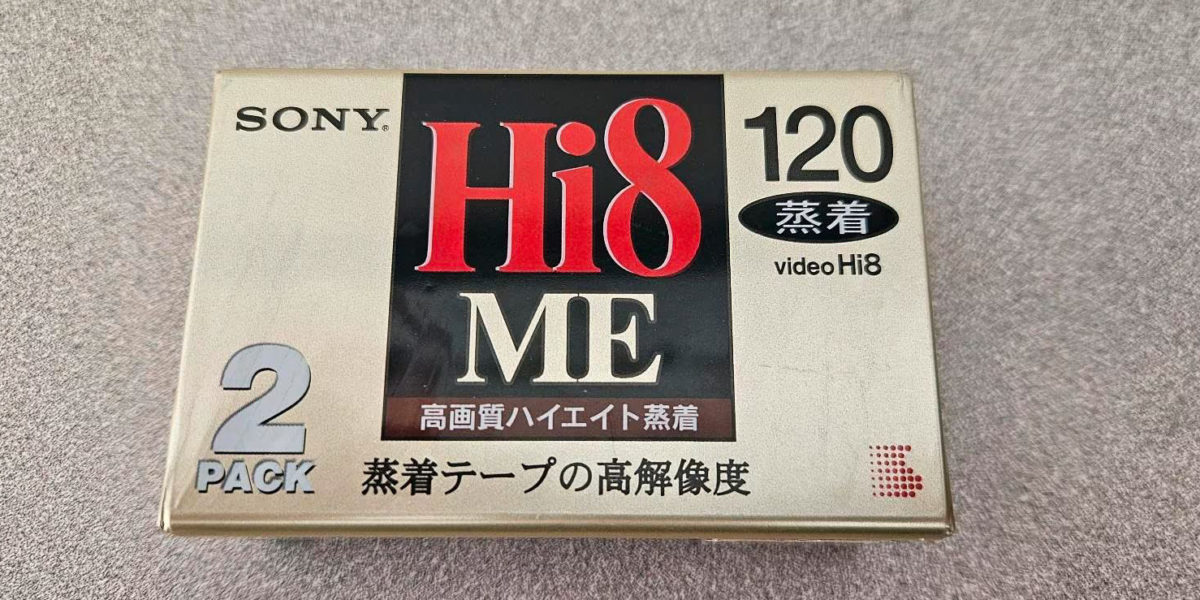
Hi8 vs Video8 vs Digital8 — three formats, nearly identical cassettes, and a whole lot of confusion.
If you’ve ever opened a box of old camcorder tapes and found a mix of labels that all look the same, you’re not alone. These three 8mm formats use cassettes that are physically almost identical: same dimensions (95 × 62.5 × 15 mm), same 8mm tape width, same hard-shell casing. You could hold all three side by side and struggle to tell them apart.
But the similarities end at the outside. What’s recorded on those tapes — and what you need to play them back — is very different depending on the format. Getting this wrong means plugging a tape into the wrong camcorder and seeing nothing but static, or worse, assuming a tape is blank when it’s actually full of family memories recorded in a format your player can’t read.
This guide breaks down exactly what separates Video8, Hi8, and Digital8, how to figure out which ones you have, and what you need to digitize each format before they degrade beyond recovery.
Table of Contents
The Short Version: Hi8 vs Video8 vs Digital8 at a Glance
Before diving into the details, here’s the quick comparison:
Video8 (1985) — The original. Analog video and audio. 240 lines of horizontal resolution. Think of it as the 8mm equivalent of standard VHS. Introduced by Sony and later adopted by other manufacturers.
Hi8 (1989) — The upgrade. Still analog, but with improved resolution at 400 lines — roughly double the detail of Video8. Hi8 was Sony’s answer to the Super-VHS format. It could also play Video8 tapes.
Digital8 (1999) — The digital leap. Records using the DV codec (the same one used by MiniDV) onto the same physical 8mm tape. Resolution jumps to 500 lines (720×480 pixels). Some Digital8 camcorders can play back Hi8 and Video8 tapes, but not all of them.
All three formats fit the same cassette shell. That’s what makes this confusing — and why so many people have mystery tapes they can’t identify.
Video8: Where It All Started
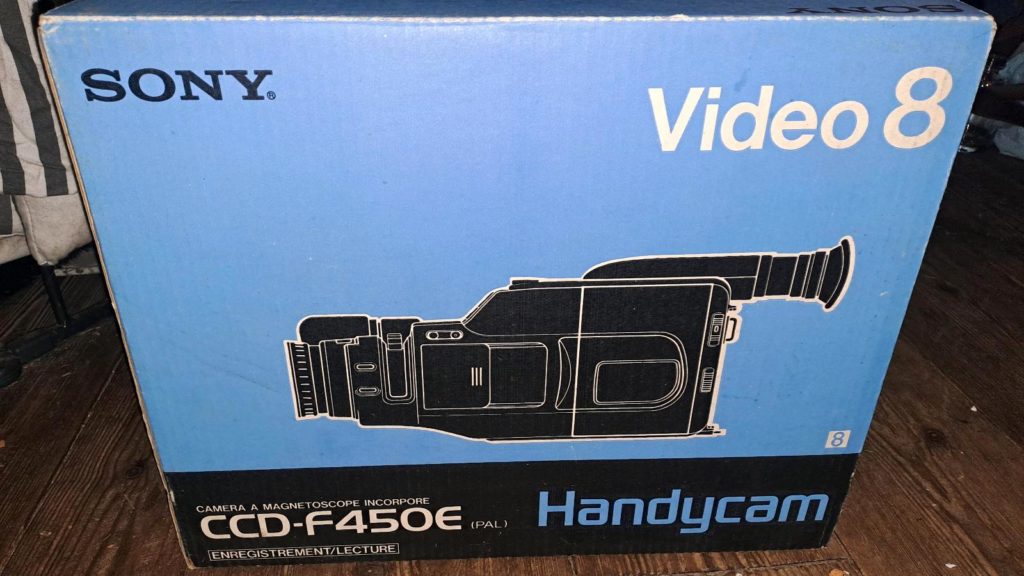
Video8 — also just called “8mm” — landed in 1984 when Kodak released the Kodavision 2000. Sony jumped in shortly after and quickly took over the market. By the early 90s, Sony was the dominant player in the 8mm camcorder space.
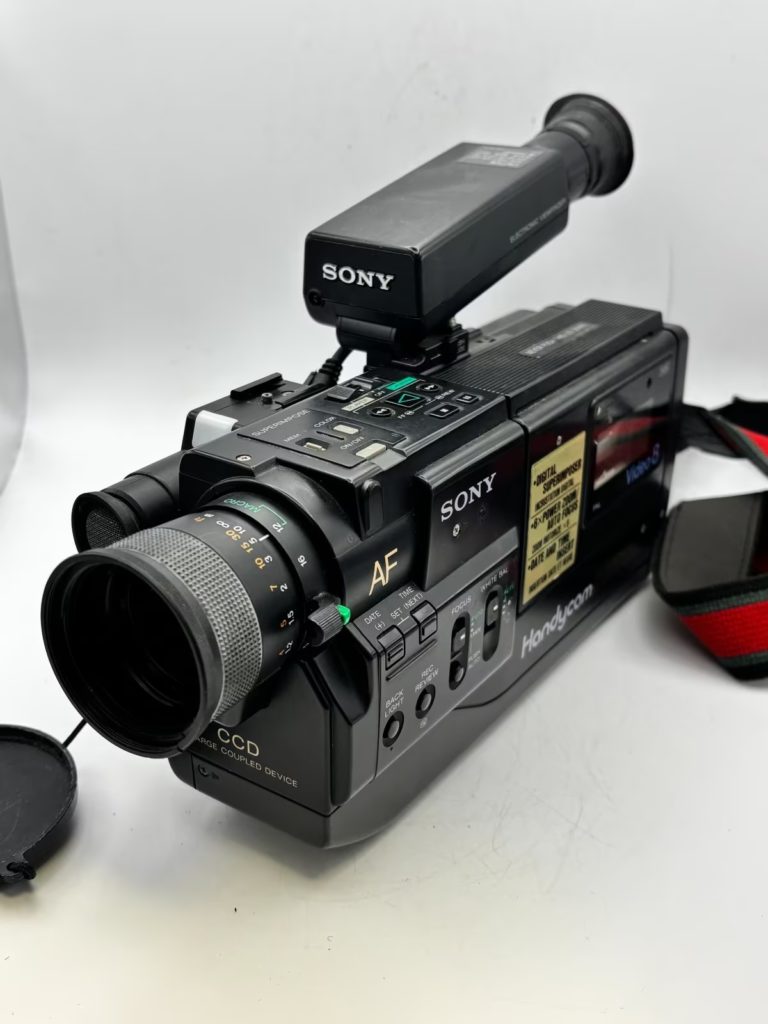
The whole point of Video8 was size. VHS camcorders in the early 80s were enormous. They were heavy, awkward to carry, and the tapes themselves were bulky. Video8 shrank everything down. The cassettes were small enough to fit in your palm, and the camcorders that used them were genuinely portable for the first time. Suddenly, regular families could take a camera to the beach, to birthday parties, on vacation — without needing a dedicated camera bag.
The trade-off was resolution. Video8 records at 240 lines of horizontal resolution. For context, standard VHS sits at about 240 lines too, so the quality was comparable. The picture was watchable, colors were reasonable, but fine details were soft. Audio was recorded in analog FM format, which was fine for home video but nothing special.
Video8 tapes can hold about two hours of footage in Standard Play (SP) mode, or four hours in Long Play (LP) mode — though LP reduces quality noticeably.
The bottom line on Video8: it was a perfectly good format for its time. If your tapes are from the mid-80s to early 90s, they’re very likely Video8. And they’re also the most likely to have significant degradation by now, since they’re the oldest of the three.
Hi8: The Analog Upgrade
Sony introduced Hi8 (short for “High-Band Video8”) in 1989 as a direct response to JVC’s Super-VHS format. The idea was simple: take the compact 8mm cassette people already liked and make the picture noticeably better.
And they did. Hi8 bumped the horizontal resolution to 400 lines — nearly double what Video8 offered. The difference is visible: Hi8 footage looks sharper, with better color separation and less noise. It’s roughly comparable to S-VHS quality.
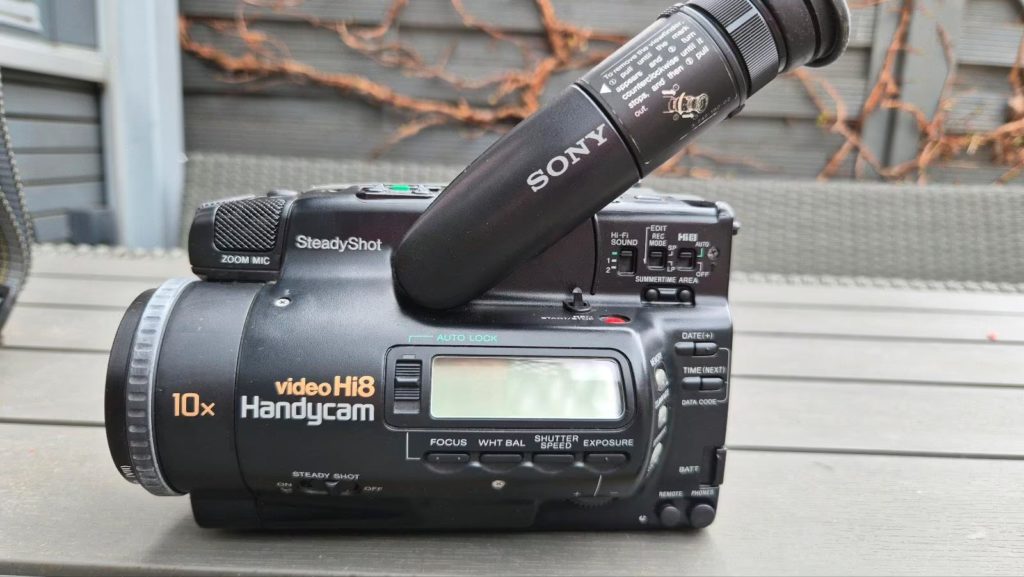
Hi8 also introduced the option for PCM digital audio on some higher-end camcorder models, though the basic analog FM audio remained the standard for most consumer units.
Here’s the important compatibility detail: Hi8 camcorders can play back Video8 tapes. They’re backward-compatible. But it doesn’t work in reverse — a Video8-only camcorder cannot play Hi8 tapes. The older hardware simply can’t decode the higher-bandwidth signal.
Hi8 was hugely popular through the 90s. Aside from Sony, brands like Canon, Nikon, Samsung, and Sharp all made Hi8 equipment. It was the go-to format for home video, amateur filmmaking, and even some professional news and documentary work where portability mattered more than broadcast-quality resolution.
Hi8 camcorders were manufactured until 2007 — nearly 20 years after the format’s introduction. The tapes themselves were produced until 2012. That’s a remarkably long run, and it means there are millions of Hi8 tapes sitting in homes around the world.
The bottom line on Hi8: if your tapes are from the 90s and early 2000s, there’s a good chance they’re Hi8. Look for “Hi8” printed on the cassette shell — it’s usually clearly labeled.
Digital8: The Digital Revolution on Analog Tape
Digital8 is where things get interesting — and confusing. Sony introduced it in 1999, and the concept was clever: take the DV codec (the same digital recording format used by MiniDV) and record it onto the existing 8mm tape that millions of people already owned.
The result was a genuine digital format that happened to use analog-era tape cassettes. Digital8 records at 720×480 resolution with 500 lines of horizontal resolution and 16-bit PCM digital stereo audio. Picture quality is identical to MiniDV — because it literally uses the same codec.
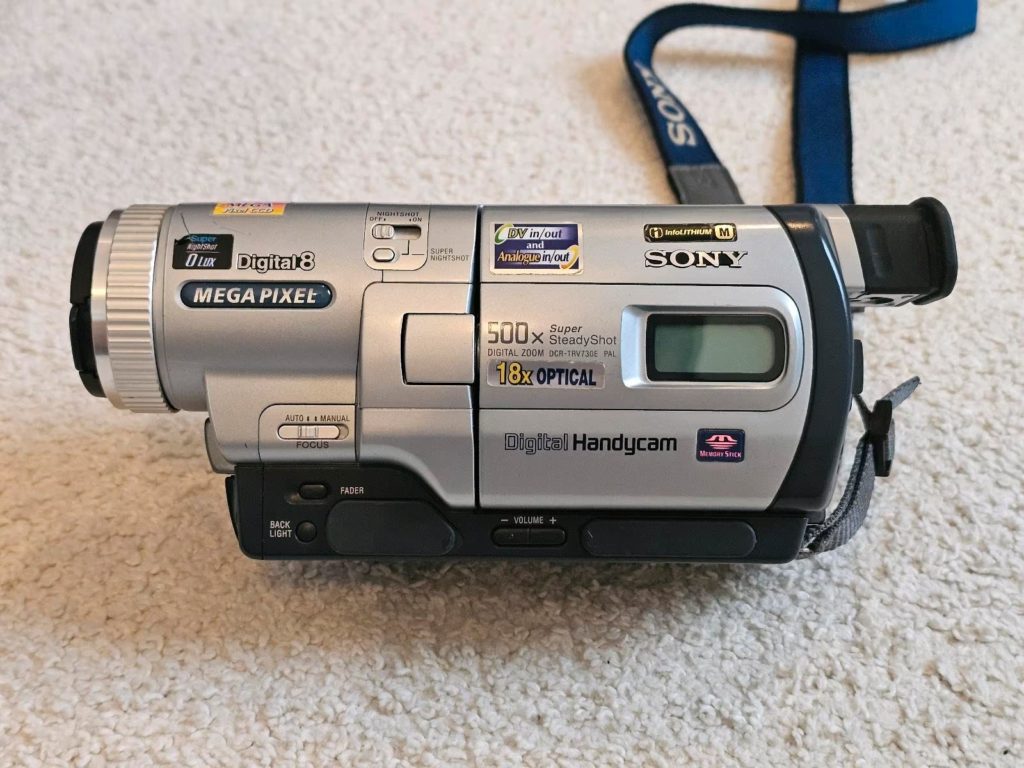
But there’s a catch: to fit the digital signal onto 8mm tape, the tape has to run at double the speed compared to Hi8. This means a 120-minute Hi8 tape only holds 60 minutes of Digital8 footage. The tape is consumed twice as fast because there’s more data being written.
Now, the big compatibility question. Many (but not all) Digital8 camcorders can play back analog Video8 and Hi8 tapes. This backward compatibility was a major selling point — buy one Digital8 camcorder and you could play your entire existing tape collection plus record new footage in digital quality. But this feature was model-specific. Some cheaper Digital8 models could only handle Digital8 recordings and nothing else.
On the flip side: Hi8 and Video8 camcorders cannot play Digital8 tapes. The analog hardware has no way to decode a digital signal. If you put a Digital8-recorded tape into an old Hi8 camcorder, you’ll get static or nothing at all.
Here’s another source of confusion: because Digital8 uses the same physical cassettes as Hi8, you might have a tape labeled “Hi8” that was actually recorded in Digital8 format by a Digital8 camcorder. The tape doesn’t know or care what format is recorded on it — it’s just magnetic media. Only the recording device determines the format.
Digital8 was exclusively a Sony format (with a brief stint from Hitachi). By 2004, Sony was the only company still making Digital8 equipment, and by 2005, it had been relegated to entry-level consumer products. MiniDV won the format war because its cassettes were even smaller and more brands supported it.
The bottom line on Digital8: if your tapes are from the late 90s to early 2000s and were recorded with a Sony camcorder, check whether it was a Digital8 model. The quality will be significantly better than Hi8 or Video8, and because it’s already a digital recording, transferring it to your computer is simpler.
How to Tell Which Format Your Tapes Are
Identifying your tapes isn’t always straightforward, but here’s how to narrow it down:
Check the label on the cassette. Most tapes have “Video8,” “Hi8,” or “Digital8” printed on them. This tells you what the tape is rated for, but not necessarily what was recorded on it.
Check the camcorder that recorded it. If you still have the original camcorder (or remember the model), look it up. That’s the definitive answer. A Digital8 camcorder records Digital8 regardless of whether the tape says “Hi8.”
Look at the runtime markings. Digital8 tapes often display dual runtimes on the packaging — for example, “120 min Hi8 / 60 min Digital8.” If you see both numbers, it’s a Digital8-compatible tape.
Check the era. Pre-1989 tapes are almost certainly Video8. Tapes from 1989-1999 are likely Hi8. Tapes from 1999 onwards could be Digital8, especially if they were recorded on Sony equipment.
When in doubt: if you have a Digital8 camcorder with backward compatibility, it’s the safest bet for playing all three formats.
How to Digitize Each Format
All three 8mm formats are degrading as you read this. The tapes have the same lifespan issues as VHS — magnetic decay, sticky-shed syndrome, mold, and the simple fact that working playback equipment is disappearing. If you haven’t digitized your 8mm tapes yet, the time to act is now.
Here’s what you need for each format:
Digitizing Video8 and Hi8 (Analog Formats)
Since these are analog formats, you need to convert the signal to digital:
Connect a working Hi8 or Video8 camcorder to a USB capture device (like an EasyCap, Elgato Video Capture, or AverMedia) using composite or S-Video cables. The capture device plugs into your PC via USB, and capture software records the incoming signal.
handles this well — it auto-detects any DirectShow-compatible USB capture device, selects the best resolution your device supports (preferring 720×480), and gives you live preview with audio monitoring so you can hear exactly what’s being recorded. It saves to uncompressed AVI, which preserves maximum quality from the analog source. You can try it free for 7 days.
Digitizing Digital8 (The Better Way)
Digital8 has a major advantage: since it records in the DV codec, you can do a direct digital transfer via FireWire (IEEE 1394). This bypasses any analog-to-digital conversion entirely, giving you a bit-perfect copy of the original recording with zero quality loss.
For this you need: a Digital8 camcorder with a FireWire (i.Link/DV) port, a FireWire cable, and a computer with a FireWire card.
This is where really shines for Digital8 owners. It connects to your Digital8 camcorder over FireWire and gives you full transport control — play, pause, rewind, and fast-forward your tapes directly from the app. No need to fumble with tiny buttons on the camcorder. It auto-detects the DV format (NTSC or PAL), captures to broadcast-quality Type-1 or Type-2 AVI files, and has an auto scene split feature that detects gaps between recordings and saves each scene as a separate file. There’s even blank tape detection that automatically stops recording when the tape runs out, so you can start a capture and walk away.
The software runs on everything from Windows XP to Windows 11, so you can use that old laptop with the FireWire port that’s been sitting in your closet. The installer is under 2 MB with zero dependencies — no .NET, no Java, no runtime installers.
If your Digital8 camcorder doesn’t have FireWire, or if you’re using it to play back analog Hi8/Video8 tapes, then the process is the same as the analog capture described above — through the camcorder’s analog outputs to a USB capture device.
What About Playback Equipment?
This is the hardest part in 2026. Working 8mm camcorders are getting scarce. Here are your options:
Sony Digital8 camcorders with backward compatibility are the holy grail. Models like the DCR-TRV330, DCR-TRV340, DCR-TRV350, and the GV-D200 Video Walkman can play all three formats. These go for €150-400+ on eBay depending on condition. If you’re buying specifically for digitization, these are the ones to look for — especially combined with your capture software’s FireWire transport control, which lets you operate the camcorder entirely from your computer.
Hi8 camcorders can play Hi8 and Video8, but not Digital8. These are more common and cheaper.
Video8-only camcorders can only play Video8. Not ideal unless that’s all you have.
If buying a camcorder isn’t in the budget, look for local video transfer services or shops that offer per-tape digitization. Prices typically range from €15 to €30 per tape.
Which Format Has the Best Quality?
Ranking from worst to best:
Video8 — 240 lines, analog. Watchable, but soft. Fine for preserving memories, but don’t expect sharp detail.
Hi8 — 400 lines, analog. Noticeably better than Video8. Good color and decent sharpness for an analog format.
Digital8 — 500 lines (720×480), digital. The clear winner. Since it uses the DV codec, the picture is clean, stable, and doesn’t suffer from the same generation-loss issues as analog formats. It’s identical in quality to MiniDV.
That said, the “best” format is the one your memories are recorded on. A fuzzy Video8 tape of your kid’s first steps is worth infinitely more than a pristine Digital8 recording of nothing. Don’t let perfect be the enemy of preserved.
Frequently Asked Questions: Hi8 vs Video8 vs Digital8
▸ Can I play Hi8 tapes in a Video8 camcorder?
No. Video8 camcorders can only play Video8 tapes. Hi8 requires a Hi8 or Digital8 camcorder (with backward compatibility) for playback. Putting a Hi8 tape in a Video8 player will result in a distorted or blank picture.
▸ Can Digital8 camcorders play Hi8 and Video8 tapes?
Many can, but not all. Backward compatibility was a feature on specific models, not a standard across all Digital8 equipment. Sony models like the DCR-TRV330, TRV340, TRV350, and the GV-D200 Video Walkman are confirmed to play all three formats. Always check the specific model’s specs before buying.
▸ Are Hi8 and Digital8 tapes the same physical cassette?
Yes. The cassettes are physically identical — same size, same tape width. The difference is entirely in how the data is recorded. A Hi8 tape can be used in a Digital8 camcorder to record digital footage, but it will then only be playable on Digital8 equipment.
▸ How long do 8mm tapes last before they degrade?
Under normal home conditions, 8mm tapes typically last 15 to 30 years before noticeable degradation. Tapes stored in heat, humidity, or direct sunlight degrade faster. Since Video8 tapes date back to the mid-80s, many are already past their reliable lifespan. Digitizing them as soon as possible is strongly recommended.
▸ What's the best way to digitize Hi8 vs Video8 vs Digital8 tapes?
▸ Is Digital8 the same quality as MiniDV?
Yes. Digital8 and MiniDV both use the DV codec, resulting in identical video and audio specifications: 720×480 resolution at 500 lines horizontal resolution with 16-bit PCM stereo audio. The only difference is the physical tape format — Digital8 uses 8mm cassettes while MiniDV uses smaller 6mm cassettes.
▸ I have a tape labeled Hi8 but it won't play in my Hi8 camcorder. Why?
It was likely recorded in Digital8 format by a Digital8 camcorder. Since Digital8 records onto the same physical cassettes as Hi8, the label on the tape doesn’t guarantee the format of the recording. You’ll need a Digital8 camcorder to play it back.
